

Failing a PA account in Apex Trader Funding means your account is automatically closed and cannot be reset. Any unrealized or unpaid profits in that account are forfeited, but payouts that were already approved and paid remain yours. The only way to continue is to start a new evaluation process and qualify again.
In this guide, H2T Funding explains exactly what happens if you fail a PA account Apex. You’ll also learn how to recognize an Apex blown PA account and what options are available to reset, restart, or recover your trading progress.
Key takeaways
- PA Accounts cannot be reset. Once you fail a Performance Account (PA), it’s permanently closed. You’ll lose all profits, payouts, and platform access.
- You can only restart via a new Evaluation Account. The only path forward after failure is purchasing a new evaluation plan and qualifying again for funding.
- Most failures come from rule breaches, not bad trades. The main culprits include breaking the Trailing Drawdown, Contract Scaling, or Consistency rules.
- Resets and restarts are not the same. Resets apply only to Evaluation Accounts; restarts happen after PA failure.
- Discipline matters more than strategy. Consistent risk management and adherence to rules are the keys to staying funded long-term.
1. What is a PA Account in Apex Trader Funding?
A PA Account (Performance Account) is the stage you reach after passing your Apex Evaluation. It marks your move from a simulated test to a live funded environment, where your trading activities reflect real market conditions. At this point, your results determine your payout eligibility and trading consistency.
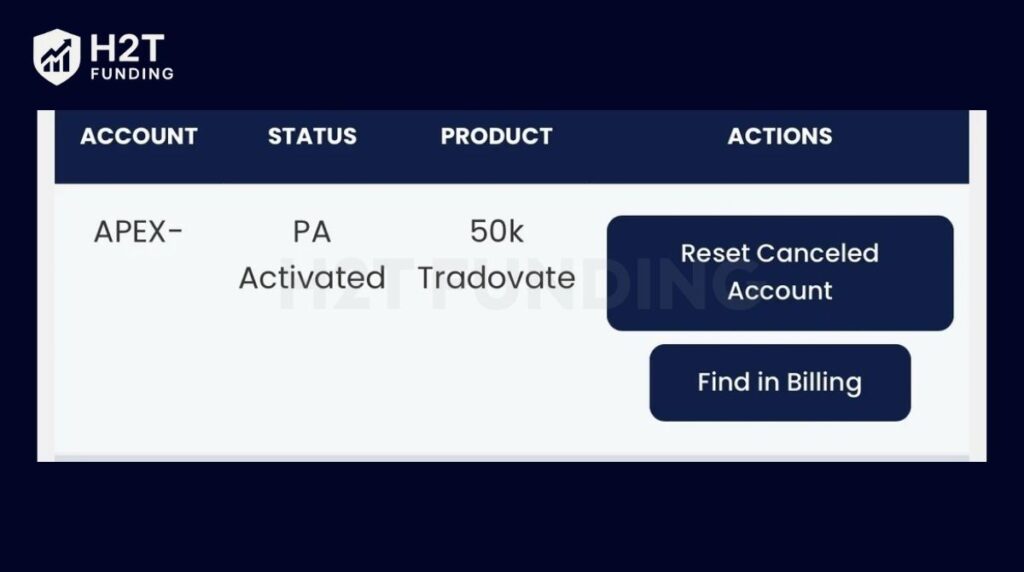
Compared to the Evaluation Account, the PA phase applies stricter rules. You must adhere to limits on drawdown, contract size, and consistency to maintain an active account. These rules encourage traders to develop discipline and risk management, not just short-term gains.
The PA Account is the bridge between evaluation and live funding. It shows Apex that you can manage profits under real pressure. Breaking key rules can lead to account suspension or closure, so understanding these conditions is essential before trading live.
2. What happens if you fail a PA account Apex Trader Funding?
Failing a PA (Performance Account) at Apex Trader Funding means your account is closed because you violate a trading rule or exceed the allowed loss limits. This is not a temporary suspension. Once a PA account is flagged as failed, Apex automatically deactivates it and does not offer a free or manual reset, unlike during the Evaluation phase.
A PA account can fail for several common reasons, including:
- Exceeding the maximum or trailing drawdown
- Trading during restricted or prohibited periods, such as banned news windows
- Failing to meet minimum trading activity or inactivity requirements
- Violating Apex’s consistency rule, for example, by concentrating most profits in a single trading day or suddenly increasing position size
Even a single violation can result in immediate account termination once Apex’s system detects the breach.
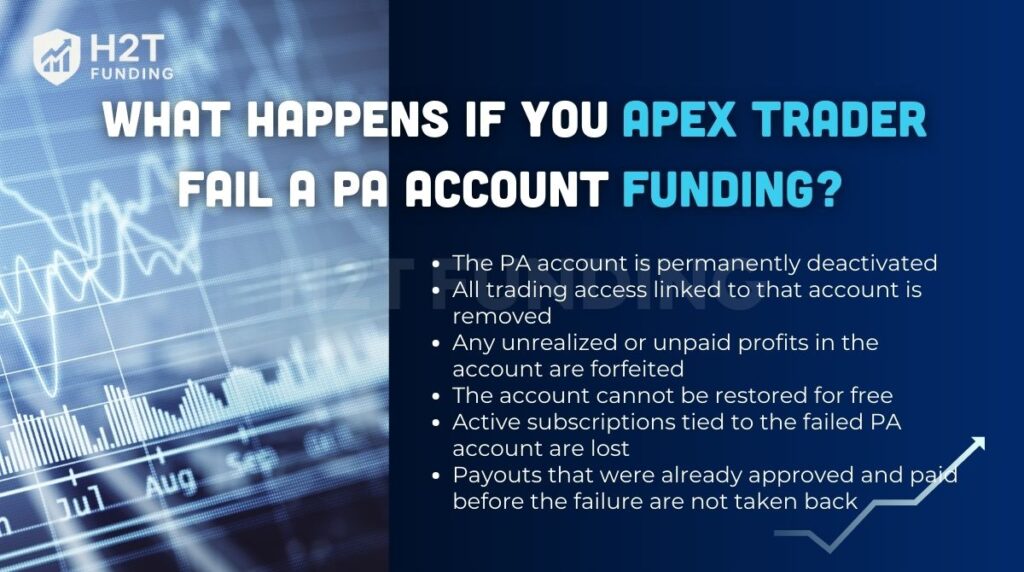
When a PA account fails, the consequences are clear and immediate:
- The PA account is permanently deactivated
- All trading access linked to that account is removed
- Any unrealized or unpaid profits in the account are forfeited
- The account cannot be restored for free
- Active subscriptions tied to the failed PA account are lost
- Payouts that were already approved and paid before the failure are not taken back
After a PA failure, traders cannot reset or recover the same account. The only way to continue trading with Apex is to purchase a new account and start again from the Evaluation phase, meeting all requirements before qualifying for a new PA.
3. Key Apex PA account rules to avoid failure
If you’ve ever wondered, “What are the Apex PA account rules?”, this section breaks them down clearly so you can stay compliant and avoid costly mistakes.
These rules aren’t there to punish you but to test whether you can manage risk the same way you’d handle firm capital. After months of testing and trading through resets myself, here’s what every trader should know before going live.
3.1. Trailing Drawdown Rule
This is the #1 rule that trips up even experienced traders. The trailing drawdown follows your end-of-day (EOD) balance, not your intraday highs, until your balance reaches what Apex calls the “Safety Net” (initial balance + drawdown + $100). Once you hit that point, the drawdown freezes.
A lot of traders misunderstand this. I learned the hard way that if you make $2,000 in open profits during the day, but it pulls back before the close. That gain doesn’t count toward your trailing drawdown. Apex only locks it in at the end of the session.
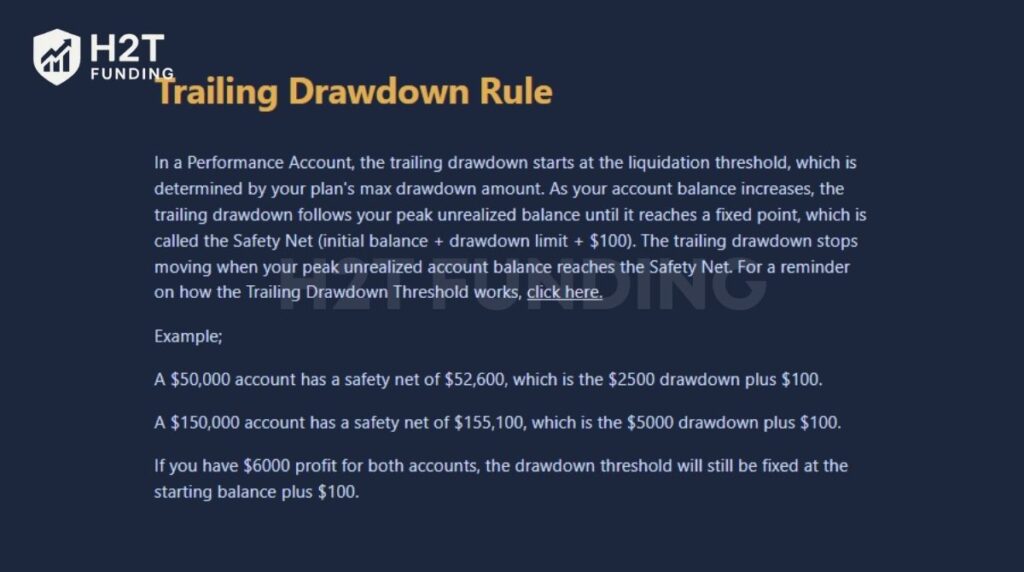
Example: On a $50K account with a $2,500 drawdown, your Safety Net is $52,600. If your balance hits $52,600 EOD, your trailing stop freezes there. But if your account dips below that later, even by $1, the account will be closed.
Tip: Always track your EOD balance manually, don’t assume intraday spikes will protect you.
Track drawdown levels, payouts, fees, and activation status daily; missing renewal or activation windows can cost you a funded account. Contact support if anything looks off.
3.2. Contract Scaling Rule – Earn the Right to Scale
Apex enforces gradual scaling to encourage realistic growth. You can only trade half of your max contracts until your end-of-day (EOD) balance exceeds the Safety Net. Once it does, the full contract limit becomes available starting the next session.
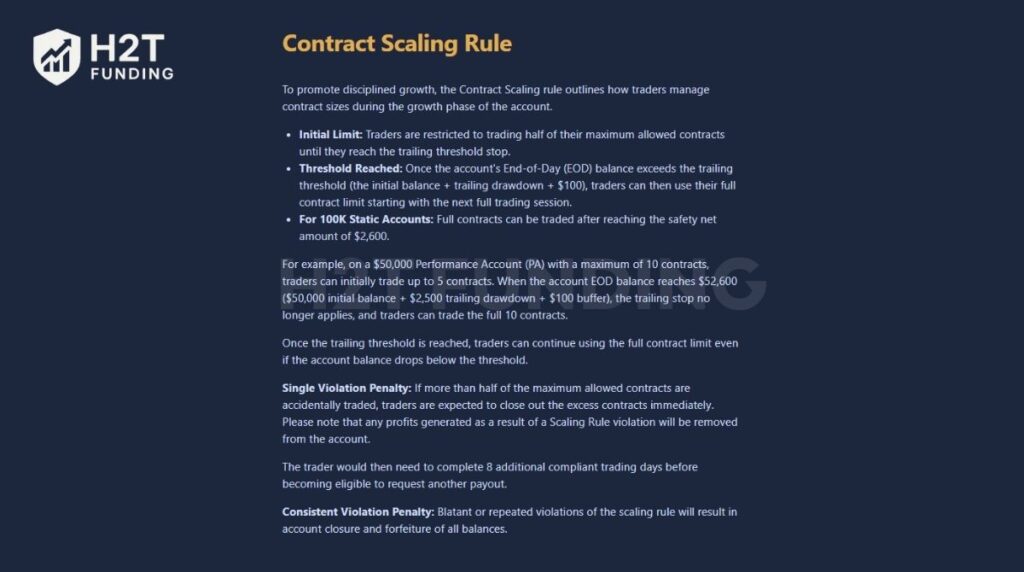
Example: On a $50,000 PA with a 10-contract max:
- Before reaching $52,600 → trade up to 5 contracts.
- After reaching $52,600 → trade up to 10 contracts.
If you break this rule by over-scaling, Apex may deny payouts or reset your balance to your last compliant EOD. Repeated violations can trigger permanent account closure. Treat this rule as your path to sustainable growth, and prove discipline before scaling size.
3.3. 30% Negative P&L Rule
This one from Apex keeps your risk on each trade under control. It says your unrealized loss on a single trade can’t exceed 30% of your start-of-day profit balance. It’s not a daily loss rule; it’s a per-trade limit to stop traders from letting one bad position wipe out their progress.
When I first started, I thought I could “let it breathe” and ride out drawdowns. That’s a fast way to break this rule.
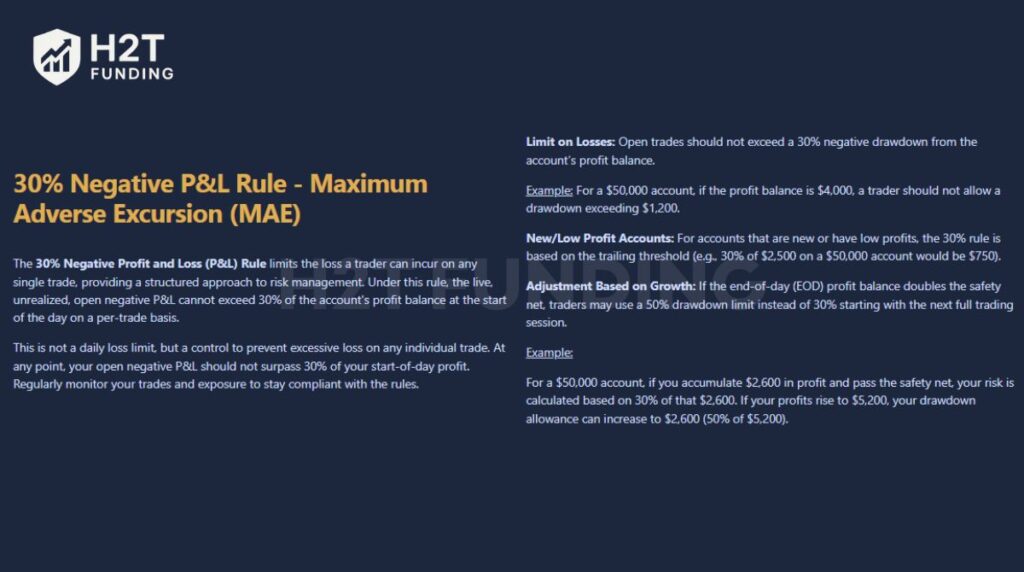
Example: If your profit balance is $4,000, your max open loss per trade is $1,200 (30%). For low-profit or new accounts, Apex uses 30% of your trailing drawdown as the reference (e.g., $750 on a $50K account).
Exceeding this limit shows poor risk management and can result in warnings, denied payouts, or eventual account termination. Apex looks for traders who cut losses quickly and manage trades proactively, not those who “hope” the market turns around.
Tip: Set alerts at -25% of your profit buffer to avoid unintentional breaches.
3.4. 30% Consistency Rule (Windfall Rule)
Apex Trader Funding consistency rules prevent any single trading day from accounting for more than 30% of your total profit when requesting a payout.
I learned this after hitting a $2,000 day early on, but couldn’t request a payout because my total profits were only $5,000. I needed $6,600 ($2,000 ÷ 0.3) before I qualified. This rule resets after every approved payout or once you reach your sixth payout milestone.
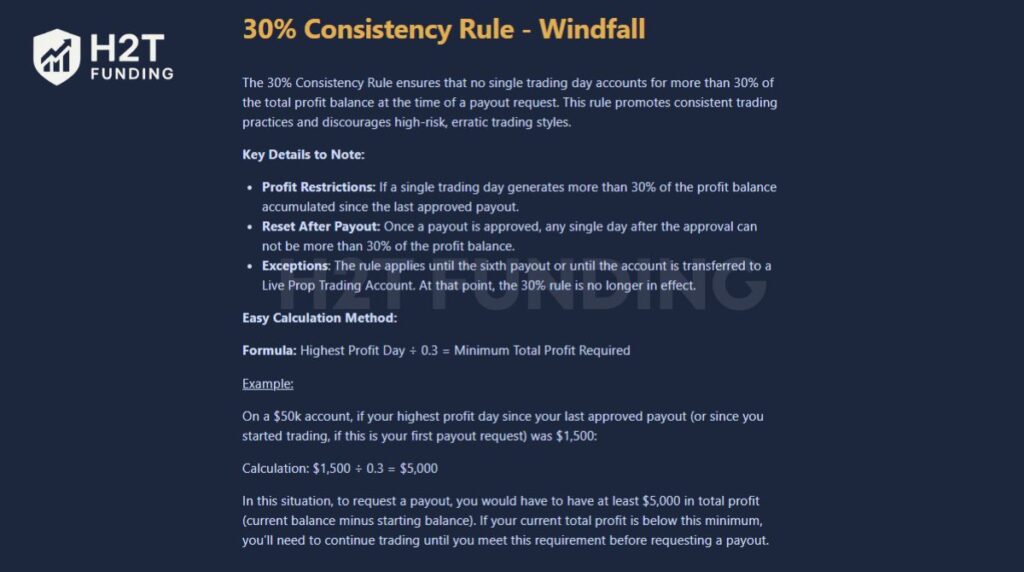
Example: If your biggest profit day was $1,500, you need at least $5,000 in total account profit to pass the consistency check.
3.5. Max Contract
This rule exists to stop traders from over-leveraging too soon. In the early stages, you can only trade half your max contracts until you reach the Safety Net level. Once you pass it, you can use the full allocation starting the next session.
I once got flagged for going slightly over my limit, even one extra contract counts. Apex doesn’t mess around with scaling violations.
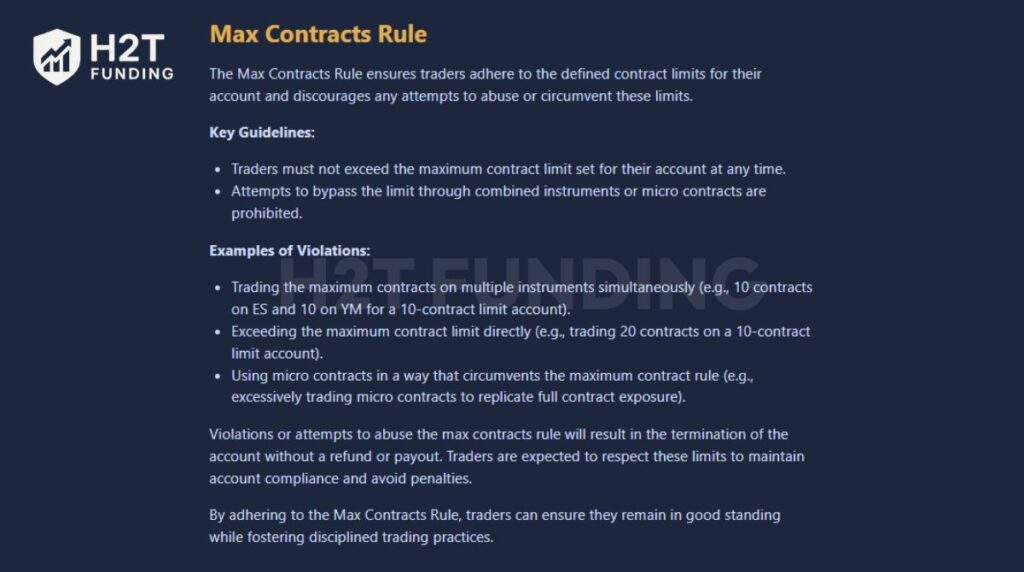
Example: On a $50K PA with a 10-contract max, you can only trade 5 contracts at first. Once your EOD balance hits $52,600, you can open up all 10. Go over early, and your payout eligibility resets, plus you’ll need eight compliant trading days to recover.
3.6. News Trading Restriction
Apex allows news trading, but traders must remain directionally biased, no hedging or holding opposite positions across correlated instruments (e.g., long ES and short YM). Simultaneous long and short trades, or any strategy that lacks a clear directional plan, violates Apex’s One-Direction Rule.
3.7. Hedging & Automation Limitations
Apex is clear: no fully automated trading systems. That means no bots, AIs, or trade copiers running 24/7. You can use semi-automated tools, but you must stay at the desk and monitor everything manually.
I’ve seen traders lose great accounts because they let an algo run unattended. Even if it wins, Apex considers it a violation and closes the account, with no payout.
3.8. Risk Management & 5:1 Rule
Every trade must have a stop loss, and your risk-to-reward ratio can’t exceed 5:1. That means for every $1 of potential profit, you can’t risk more than $5.
When I first started, I ignored this, thinking “the trailing threshold will save me.” It didn’t. In reality, understanding how different trailing mechanisms work, especially the difference between a trailing stop loss and a trailing stop limit, matters far more than most beginners realize.
Apex expects professional-level risk management, allowing the market to determine that your stop-loss is not acceptable.
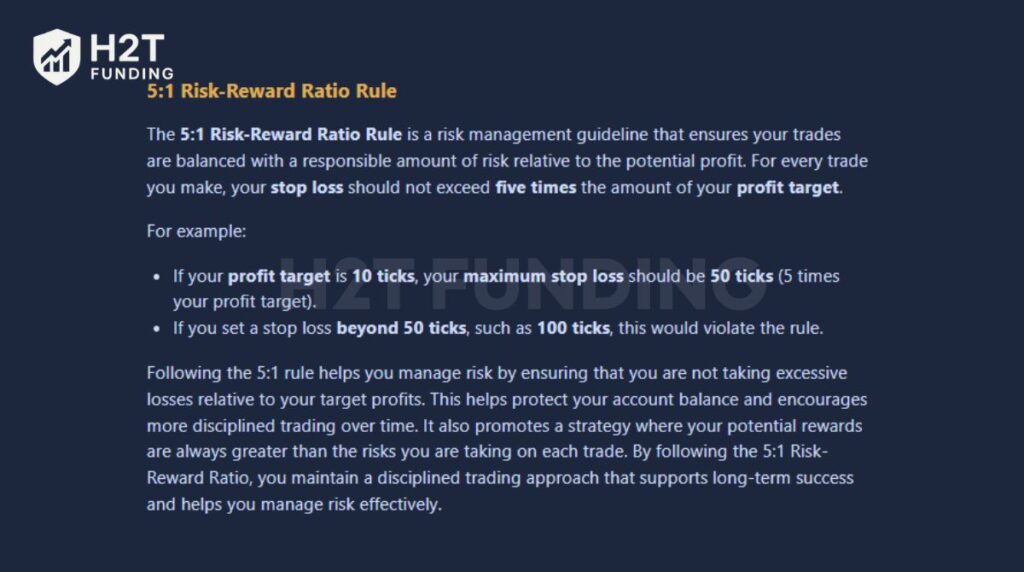
Example: If your target is 10 ticks, your max stop is 50 ticks. Anything beyond that (like 100 ticks) breaks the rule instantly.
3.9. Follow professional trading standards
Apex expects professional traders to act as though they were trading in a regulated brokerage account. That means:
- No manipulation of the simulation environment.
- No artificial order placement to “game” the trailing drawdown.
- No exploiting data feed latency or testing high-frequency strategies.
All trading activity should reflect real, replicable strategies that would work under normal market conditions. In other words, if you wouldn’t do it with your own money, don’t do it on Apex.
3.10. Avoid multiple account creation
Each trader may hold only one active user account. Creating duplicate accounts, even with different emails or payment methods, is a bannable offense. Apex’s system cross-checks account data, IPs, and payment sources to detect abuse. Once flagged, all related accounts are permanently suspended.
Most Apex failures come down to rule violations, not poor setups. If you slow down, track your drawdown levels daily, and plan your scaling carefully, you’ll not only avoid resets but also earn the firm’s trust faster. Apex rewards discipline, and once you internalize these rules, the funded phase feels a lot less stressful.
Read more:
4. Steps to restart after failing a PA Account Apex
If your PA account fails in Apex Trader Funding, it cannot be reset, but you can still restart your journey by opening a new Evaluation Account. Understanding how to reset an Apex trading account is crucial for traders who want to bounce back quickly and avoid repeating mistakes.
Before you begin the recovery process, it’s essential to understand the difference between a reset and a restart, as they apply to different account types in Apex Trader Funding.
Important Difference: Reset vs. Restart
- Reset -> Only applies to Evaluation Accounts. It lets you clear your balance and start fresh within the same billing cycle.
- Restart -> Applies after a PA account fails. You must purchase a new Evaluation Account and pass it again to earn a new funded (PA) account.
4.1. Step 1: Log in to Your Apex Dashboard
Visit https://apextraderfunding.com/member and log in using your credentials. In your dashboard, you’ll see your account status. If it’s labeled “Failed” or “Closed,” the PA account can no longer be traded or reset.
4.2. Step 2: Purchase a New Plan
To continue trading, you need to buy a new Evaluation plan. You can also apply a discount code or promotions available on the Apex website to reduce the cost of a new plan.
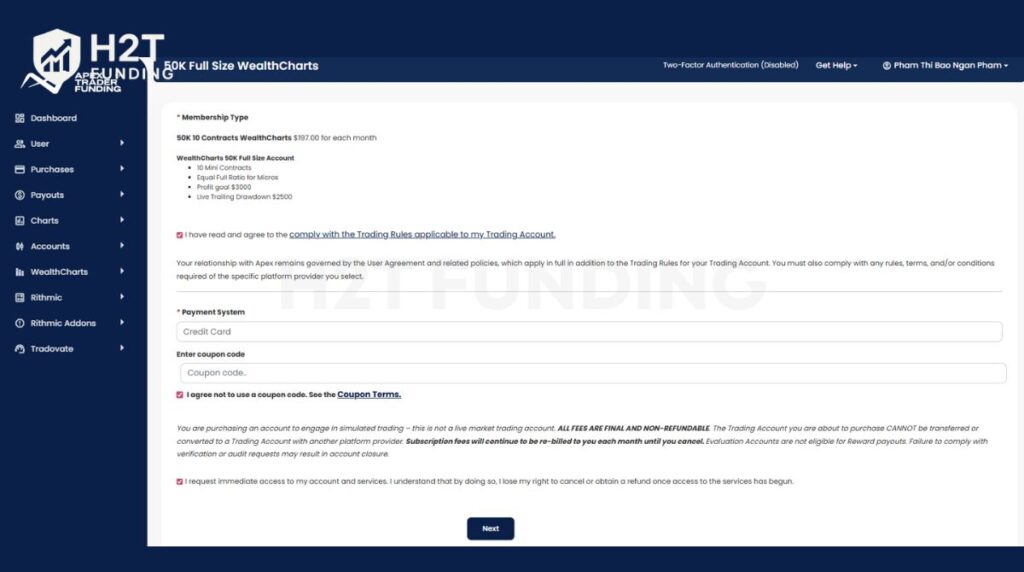
4.3. Step 3: Activate your New Evaluation Account
After completing your purchase, Apex will send an activation email containing your new Evaluation Account credentials. Open the email and click the confirmation link to activate your account.
Once activated, your new Evaluation Account will be ready for trading. Activation typically processes quickly, but during high-volume periods, it may take longer.
4.4. Step 4: Configure Your Trading Platform
Once activated, reconnect your preferred trading platform: NinjaTrader, Rithmic, or Tradovate, using your new credentials.
Always remove your old PA account from the platform to avoid accidental trades on an inactive profile.
4.5. Step 5: Trade Again
Now that your new evaluation is active, it’s time to rebuild. Focus on risk management, drawdown awareness, and consistency throughout your evaluation account. Avoid overtrading and ensure every trade follows your strategy. Treat this new start as a professional reset for your trading mindset, not just your account.
Key notes for traders:
- PA Accounts cannot be reset; only Evaluation Accounts can.
- Resets don’t change renewal dates or subscription periods.
- Always close all positions before requesting a reset.
- Resetting or purchasing the wrong account is irreversible.
- Failing to cancel a subscription before cancellation deadlines or renewal may trigger an automatic charge and reset if the Evaluation Account was in “failed” status.
Restarting after a performance account failure isn’t a setback; it’s a second chance. Many successful Apex traders fail early accounts, learn the system, and return stronger. By following these steps carefully, you can restart efficiently, rebuild consistency, and get back to a funded stage faster than before.
5. What should you do after failing a PA account?
After failing a Performance Account (PA) at Apex Trader Funding, it’s important to act quickly, but with the right expectations. Unlike Evaluation Accounts, PA accounts cannot be reset or recovered. Once failed, they are permanently closed. Here’s what you should do next:
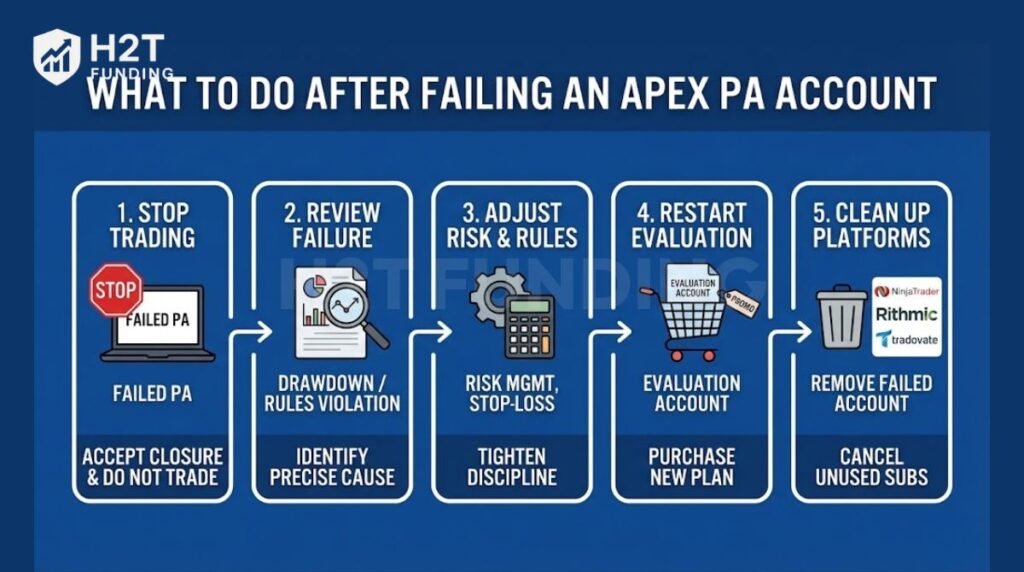
5.1. Accept the closure and stop trading
As soon as a PA is marked Failed or Closed, all trading access is removed. Do not attempt to trade on a blocked or inactive account, as this can trigger further compliance issues across your profile.
5.2. Review exactly why the PA failed
Log in to your Apex dashboard and trading platform logs to identify the cause. Most PA failures come from:
- Breaching the trailing drawdown
- Violating consistency or contract scaling rules
- Trading during restricted periods
- Breaking risk management rules (30% loss rule, 5:1 R: R)
Understanding the precise violation is critical before restarting.
5.3. Adjust your risk and execution rules
Use the failure as a diagnostic checkpoint. Tighten stop-loss discipline, normalize position sizing, and plan trades around end-of-day balances, not intraday spikes. Small execution mistakes matter more in PA accounts than strategy quality.
5.4. Restart with a new Evaluation Account
Since PA accounts cannot be reset, the only way forward is to purchase a new Evaluation Account and qualify again. Look for Apex promotions or discounts to reduce restart costs, but treat the new evaluation as a fresh professional attempt, not a revenge trade.
5.5. Clean up platforms and subscriptions
Remove the failed PA account from NinjaTrader, Rithmic, or Tradovate to avoid accidental order placement. Also, ensure any unused subscriptions are canceled to prevent unwanted renewals.
Failing a PA account isn’t the end of your Apex journey; it’s feedback. Traders who review their mistakes, simplify risk, and slow down during the next evaluation often return stronger and more consistent than before.
6. Tips to avoid failing your Apex PA account
Avoiding failure in your Apex Performance Account (PA) comes down to discipline and preparation. Even small mistakes, like ignoring your drawdown or trading emotionally, can end your funded status. Here are practical tips to help you stay compliant and protect your account:
- Track your daily loss and trailing drawdown before entering any trade. Always know your risk buffer to avoid unexpected rule violations.
- Maintain consistency in both profit targets and lot size. Sudden spikes in trade size often trigger Apex’s consistency checks and can void payouts.
- Set a stop loss with at least a 1:5 risk-reward ratio. This helps you protect capital while keeping your strategy sustainable over time.
- Avoid trading during major news releases. Sudden volatility can easily hit your drawdown or daily limit even when your setup looks perfect.
- Practice in demo or evaluation accounts before going live with a PA Account. Testing your strategy in low-risk conditions helps refine execution and emotional control.
Following these habits, you’ll build the discipline Apex expects from funded traders and improve your chances of long-term success. Every trader should prioritise education and practice, trader discipline, trader patience, and trader support networks to reduce the chance of failure during live trading.
To further protect your Apex PA account, it’s important to understand Apex’s consistency rules for payouts and know what happens if a funded Apex account is reset. These two factors often cause traders to lose accounts even when they are profitable.
7. FAQs
When you fail a PA (Performance Account), Apex automatically closes your account. Once closed, all profits and payout progress are lost, and the account cannot be reactivated. You’ll need to start a new evaluation trading account if you wish to qualify again for a funded account.
No. Apex does not ban traders for failing multiple PA Accounts. Each account failure is treated separately. However, repeated rule violations can affect your reputation with the firm, so it’s best to identify mistakes early and refine your strategy before starting a new evaluation.
You’ve blown your account when your balance drops below the trailing drawdown limit or when you receive a termination notice on your Apex dashboard. Your trading access will usually be disabled on NinjaTrader or Rithmic, and you’ll see the account marked as “Failed” or “Closed.”
No. You cannot reset a PA Account after it fails. Apex only allows manual resets for Evaluation Accounts, which can be purchased from your dashboard. If your PA Account fails, your only option is to restart from a new evaluation and pass again to receive a fresh PA Account.
Apex enforces several key rules to maintain account integrity. You must stay above the Trailing Drawdown, maintain profit consistency across days, and never exceed your maximum contract limit. You also need to avoid trading during restricted news events. Violating any of these will result in an automatic account failure.
No, failed PA Accounts are non-refundable. Evaluation fees may be refundable only after meeting specific payout milestones (as stated in Apex’s refund policy). Once a PA Account fails, all prior profits and subscription fees are forfeited. Refunds are not linked to your renewal period.
Yes. Buying or transferring Apex accounts violates the company’s Terms of Service and may result in a permanent ban. Each trader must trade only under their registered account and credentials.
The 30% rule in Apex refers to risk and consistency controls, not a single loss limit. It mainly includes the 30% Consistency Rule, which requires that no single trading day accounts for more than 30% of your total profit when requesting a payout. Apex also enforces a 30% Negative P&L (MAE) limit, meaning a single trade cannot exceed 30% of your available profit buffer or trailing drawdown in unrealized loss.
You may have up to 20 active Performance Accounts (PA) in total across all people in the same household, businesses you control, and all platforms (Rithmic, Tradovate, WealthCharts combined). Exceeding this limit makes you ineligible for payouts and may result in account closures or a permanent ban. There is no limit on Evaluation Accounts.
To qualify for an Apex payout, traders must meet minimum trading days, pass the 30% consistency check, stay within contract limits, and comply with all PA rules. Apex reviews payouts manually, and violations such as over-scaling, hedging, or rule manipulation can delay or deny payouts. After each approved payout, the consistency calculation resets.
The 7-day rule requires traders to complete at least seven separate trading days before passing an Evaluation or requesting a PA payout. These days do not need to be consecutive, but each must include valid trades that follow all Apex rules. Reaching the profit target early does not bypass this requirement.
No. PA accounts are non-refundable once failed. All unrealized profits, activation fees, and subscriptions tied to that PA are forfeited. Only payouts that were already approved and paid before the failure remain yours.
No. Failing a Performance Account does not impact your Evaluation Account history. You can purchase and pass new Evaluation Accounts after a PA failure, as long as you follow Apex’s account limits and rules.
Resets apply only to Evaluation Accounts. After purchasing a reset, accounts are usually reactivated within 5–10 minutes, though delays can occur during peak system traffic. Performance Accounts cannot be reactivated after failure.
No. You cannot open or activate a new PA directly. To obtain another PA, you must pass a new Evaluation Account first. A failing or failed PA must be closed before you can qualify again through evaluation.
In most cases, no warning is issued. Apex uses automated rule enforcement, and a single violation, such as breaching trailing drawdown or contract limits, can result in immediate account failure without prior notice.
8. Conclusion
So, what happens if you fail a PA account Apex? In short, your account is automatically closed and cannot be reset. All profits, payout progress, and platform access are lost. The only way to continue trading with Apex is to start a new Evaluation Account, pass it again, and rebuild your path to a funded stage.
While failure can be frustrating, it’s also a chance to improve. Focus on risk management, consistency, and emotional control, the three pillars that separate successful funded traders from beginners. Each mistake teaches you how to approach the next evaluation with better discipline and a smarter strategy.
If you found this guide helpful, explore more resources in H2T Funding’s Prop Firm & Trading Strategies section. There, you’ll find detailed breakdowns of top prop firms, account rules, and proven strategies to help you pass your next evaluation with confidence.